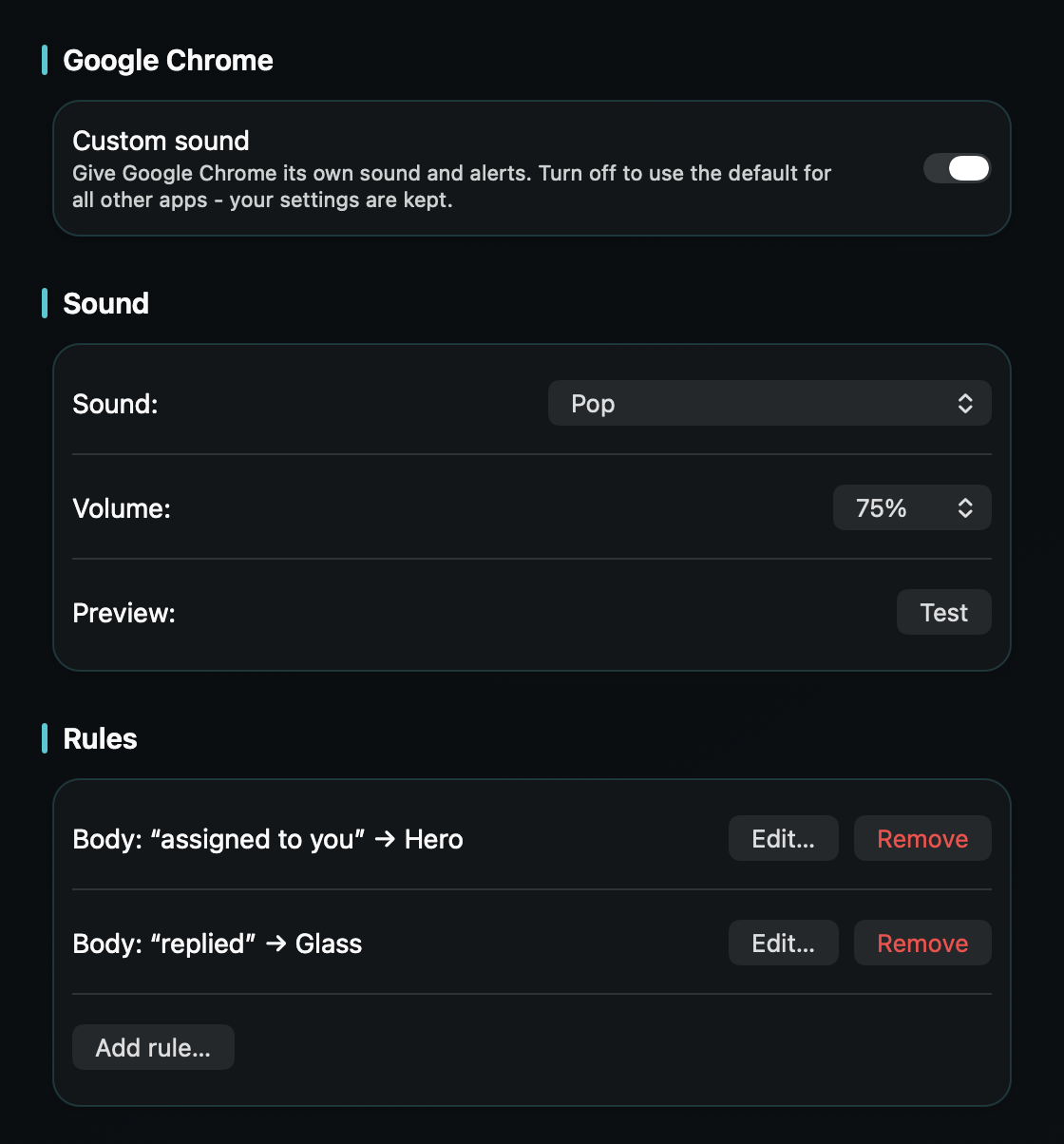
So a conversation assigned to you - or a customer replying right now - reaches you in seconds, without every visitor event in the inbox making the same noise.
macOS plays one alert sound for every notification and only lets you switch an app's sound on or off - never change it. Intercom's inbox notifies through your browser, so a conversation that was just assigned to you pings exactly like routine inbox activity - and exactly like every other site that browser speaks for.
Live chat makes the stakes unusually sharp: the customer is sitting in the messenger right now, and response time is the whole game. When the assignment lands as the same chime as everything else, it waits exactly as long as it takes you to get curious.
TrillMark reacts to the banner Intercom already shows through your browser. Add your browser, and because TrillMark can read the notification's text, add a rule that fires only for what needs you - a conversation assigned to you, a customer's reply on one you own. Match the word “Intercom” too, so the rule reacts to real Intercom notifications and not every website.
So an assignment or a reply arrives as a louder sound you recognize plus a labeled flash, and routine inbox churn stays soft or silent. The customer waits seconds, not minutes - and you didn't have to keep the inbox tab in the corner of your eye to do it.
It reads that text only on your Mac, only to decide how to react, and never sends it anywhere.
(?s)(?=.*intercom).*(assigned|reply|replied|yourname) , with yourname changed to your name as Intercom shows it. It fires only when the banner mentions Intercom and one of those words, not for every site.Give Intercom its own sound and a colored, labeled flash. One‑time purchase, up to 3 Macs. Apple silicon and Intel, macOS 14+.
Not with Intercom or macOS alone - Intercom lets you choose which events notify you, but the notification uses your Mac's single alert sound, and macOS only lets you turn that sound on or off. TrillMark reacts to the banner Intercom shows through your browser and plays a sound you choose, with a colored, labeled flash.
Yes. Because TrillMark can read a notification's text, you can add a rule that plays a distinct sound only when the banner mentions your name or an assignment, while general inbox activity stays quiet. The text is read only on your Mac and never leaves it.
Zendesk is ticket-first, so that guide is about the tickets waiting in your name. Intercom is live chat - the customer is in the messenger right now - so the same rule idea buys you response time measured in seconds, which is the metric that inbox runs on.